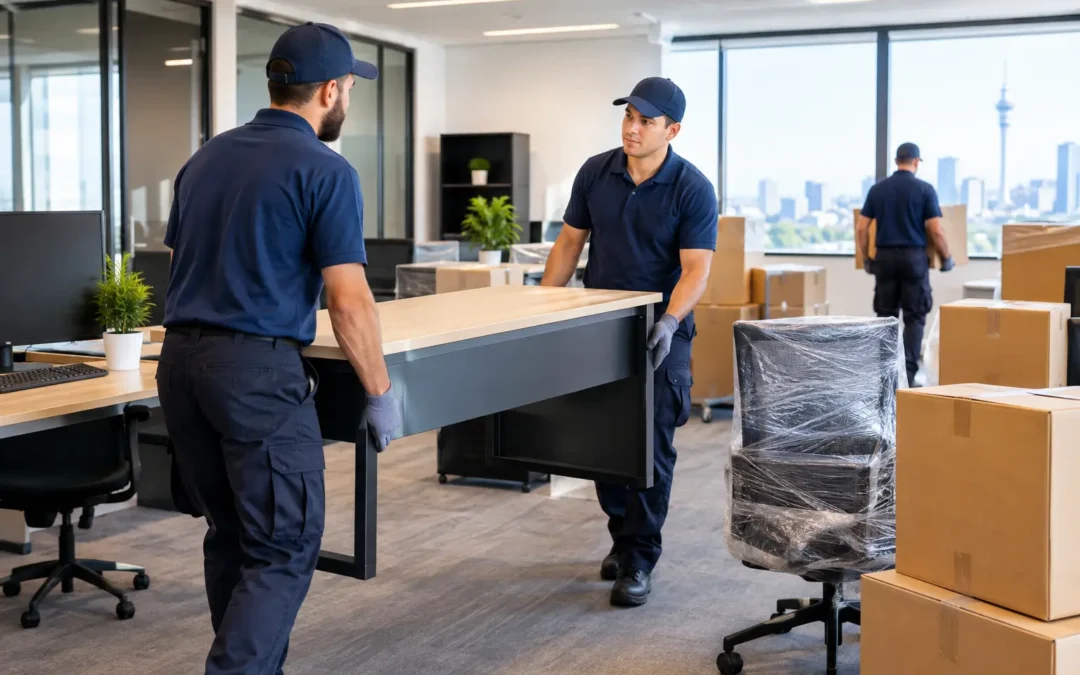
Moving an office is a whole different job compared to shifting houses. Office Removal can feel like one more big job on top of everything else. You’ve got workstations and tech to organise, paperwork to keep safe, and staff who still need to get their usual work done. Sorting the main details early makes the whole process far less stressful.
From a small Auckland office shift to a full business relocation, the aim is to get your team settled into the new space, with everything working properly, so business can carry on with as little interruption as possible.
Get Onto It Early
Get the planning underway early. It gives you time to sort out the little things that can hold up an office move, such as restricted loading areas, scarce parking, or lift access that needs to be booked through building management.
Put one person in charge, or nominate a small group to manage the moving jobs and keep staff in the loop.
First things first:
- Set the move date and check when removalists can access both the current office and the new premises.
- Check where the truck can park at each location.
- Check if you need to book the lift, loading dock, or get approval from building management before move day.
- Make a proper list of what’s coming with you, including desks, chairs, filing cabinets, computers and any other office gear.
- Sort through the rest early: decide what’s staying behind, what can be donated or sold, and what just needs to go in the bin.
A proper inventory stops old furniture and unused equipment from taking up valuable truck space. It also gives your Office Removal Services in Auckland team a clearer idea of what they are walking into.
Sort the New Office First
Before the packing tape comes out, get clear on where everything will go in the new office. You’d be surprised how often this gets missed. If there’s no plan for where the desks, boardroom table, printer and storage cupboards are going, the new office can quickly end up looking like a storage room.
A simple floor plan makes a big difference. No need for anything flash — even a rough sketch showing desk areas, reception, meeting rooms, the kitchen and shared spaces will save heaps of stuffing around on move day. Give each room or work area a name or number, then label the boxes and furniture to match.
For example, boxes from the accounts team can be marked “Accounts – Zone B”, while IT equipment can be marked “IT – Meeting Room”. That way, the movers are not standing around asking where every item needs to go.
Give Your Team a Clear Run Sheet
A workplace move is much easier to manage when staff know what’s expected of them. Once the date is confirmed, give the team a heads-up straight away and let them know when their desks need to be cleared and packed. That way, nobody is rushing around trying to sort their stuff at the last minute.
Before the removalists arrive, staff should take home their personal items and pack up any documents, stationery and drawer contents. It keeps the move organised and stops loose bits going missing along the way. They should take home anything valuable or sensitive that they do not want mixed in with office boxes.
It also helps to set a few simple rules:
- Label every box with the employee’s name and destination area.
- Keep confidential files separate and clearly marked.
- Back up important computer files before moving day.
- Do not leave food, mugs or random desk items behind.
- Keep keys, swipe cards, laptops and important paperwork with the person who’s meant to have them, not packed away in a random box.
A smooth office move isn’t just about getting the desks and chairs from A to B. You want the team to walk into the new place, find their gear straight away and get back into work without mucking around looking for screens, keyboards or files.
Look After Computers and IT Gear
Treat your tech as a separate job from the furniture. PCs, screens, printers and servers can be easily damaged or disconnected if they’re rushed into boxes, so get your files backed up before anything is switched off.
Get your IT support sorted well before the move too. It makes reconnecting everything much easier later. Label cables, chargers and power boards, and keep them with the right workstation.
For expensive or delicate equipment, use proper boxes and protective wrapping. Don’t stack heavy cartons on top of monitors or printers. If you’re using Packing And Unpacking Services In Auckland, ask the removalists how they handle computers and fragile office equipment before booking.
Pick the Right Moving Setup
A Man With a Van Auckland New Zealand service can be a good option for smaller office moves, single rooms, start-ups or businesses with only a few desks and boxes. It’s handy too if you’d rather shift a few things at a time instead of closing the whole office for the day.
Big office shifts need more than a van and a couple of boxes. For a larger Office Removal, it pays to organise the right truck, enough removalists and a clear plan before the day arrives.
When you ask for a quote, tell the movers what they’ll be dealing with — stairs, lift bookings, hard-to-find parking, several floors, or weighty gear like safes, filing cabinets, big meeting tables and commercial printers. Giving them the heads-up means they can bring the right setup and get on with the job without any unexpected hold-ups.
Keep Safety in Mind
Office gear can be deceptively heavy — especially filing cabinets, printers, desks and boxes filled right to the brim. Pack boxes sensibly so they’re not a mission to carry, and use a hand trolley for anything big or heavy.
Leave the hefty stuff — like desks, filing cabinets and commercial printers — to the removal crew or get a couple of people on it. It’s not worth someone doing their back trying to shift it solo. That is exactly the sort of job professional movers are there for.
Have a Plan for Rubbish
An office move is a good chance to ditch the stuff you no longer need—old chairs, busted equipment, outdated files and furniture that’s just taking up space. Sort out what can be reused, donated or recycled before moving day, so you’re not paying to shift things that are only going to end up in the bin.
For local recycling and rubbish rules, have a look at the guidance from Auckland Council, particularly if you have large amounts of cardboard, unwanted office items or recycling to deal with.
Keep Moving Day Simple
On the day, have one person available at both the old and new offices if possible. They can direct the movers, answer questions and make sure items are going to the right areas.
Get the essentials set up first: internet equipment, computers, phones, reception, meeting rooms and any gear your team needs to work straight away. The rest can be unpacked once the important parts of the business are up and running.
A well-organised office move does not need to be stressful. Start early, label everything, sort your IT before the truck arrives, and use experienced Office Removal Services in Auckland for the bulky and awkward stuff. What part of an office move do you think would cause the biggest hold-up for your business?